 translate(-2 -14)%22%3E %3Cpath fill=%22url(%23vane)%22 d=%22M110 34 C 89 92, 72 152, 78 214 C 82 250, 94 276, 108 288 C 106 276, 104 200, 104 150 C 104 104, 106 62, 110 34 Z%22/%3E %3Cpath fill=%22url(%23vane)%22 opacity=%220.92%22 d=%22M110 34 C 131 92, 150 150, 142 214 C 138 250, 124 278, 110 288 C 112 276, 116 200, 116 150 C 116 104, 114 62, 110 34 Z%22/%3E %3Cpath fill=%22none%22 stroke=%22url(%23rachis)%22 stroke-width=%223.1%22 stroke-linecap=%22round%22 opacity=%220.5%22 d=%22M110 40 C 108 140, 109 230, 110 300%22/%3E %3Ccircle cx=%22104%22 cy=%22312%22 r=%224.2%22 fill=%22%232E86F5%22/%3E %3Ccircle cx=%2295%22 cy=%22326%22 r=%223.3%22 fill=%22%2359A0F0%22 opacity=%220.8%22/%3E %3Ccircle cx=%2288%22 cy=%22338%22 r=%222.4%22 fill=%22%238FC0FF%22 opacity=%220.6%22/%3E %3C/g%3E %3C/svg%3E) Feathy
Feathy
Photos Aren’t Files — They’re About Your Life
Free Up Space, Keep What Matters
Not every photo needs the same decision. Some should be cleared. Some deserve to come back. Some we want to keep — just not see right now.
Clean Up. Relive. Tuck Away. A more human way to manage your iPhone photos.
Coming to the App Store
On-device · No account · No ads · No data collected
A photo library is more than storage
Most photo tools reduce everything to one question: keep it or delete it?
But our libraries hold very different things. Screenshots we no longer need. Ten versions of the same moment. Videos taking up gigabytes. They also hold memories we have forgotten — and sometimes photos we still want to keep, even when we are not ready to see them every day.
Feathy gives each one a different path.
Three paths
Clean Up — clear what no longer matters
Find what is taking up space, then decide what is worth keeping: similar photos, exact duplicates, blurry shots, screenshots, large videos and Live Photos.
Compress a large video instead of deleting it. Turn a Live Photo into a still when the motion no longer matters.
Relive — rediscover what still matters
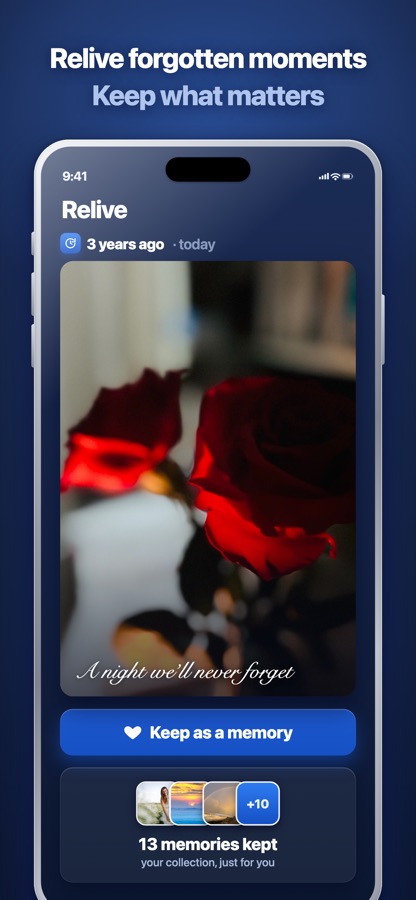
A photo library should not only get smaller. Sometimes it should become meaningful again. Relive brings back one photo from this day in earlier years, so a forgotten moment surfaces on its own.
Tuck Away — keep it, just don’t see it right now
Not every photo we stop wanting to see is a photo we want to delete. Feathy gathers the photos connected to a person, a date range or a place and sets them aside from everyday view, in the iPhone’s own Hidden album.
They remain yours. You decide when you want to see them again.
Three different decisions
Clean Up — what no longer needs to take up space.
Relive — what deserves to be seen again.
Tuck Away — what we want to keep without seeing right now.
This is the heart of Feathy. Managing a photo library should be about more than asking “what can I delete?”
Clean Up, without losing everything
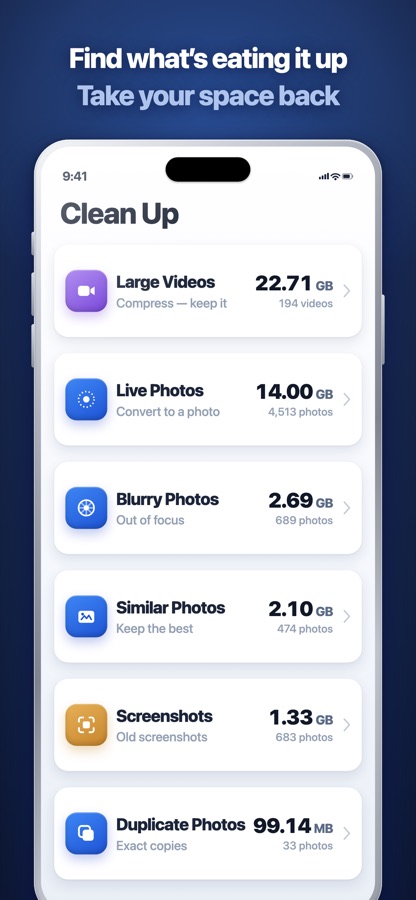
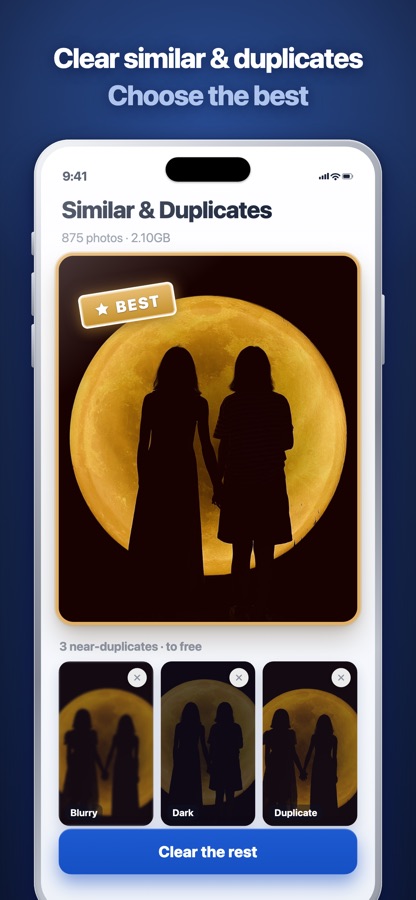
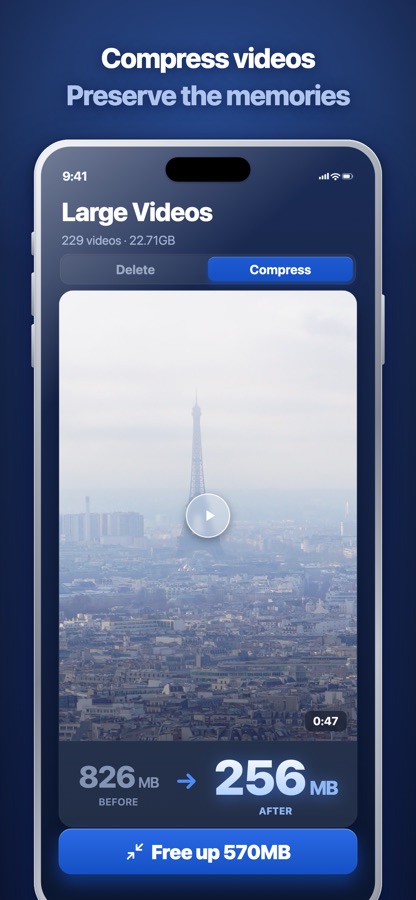
- Large videos — keep the memory, lose the storage. Compress instead of deleting.
- Similar photos — review a group and keep the best shot, instead of scrolling through them one at a time.
- Blurry photos — Feathy finds the likely ones and leaves the decision to you.
- Live Photos — keep the photo when the motion no longer matters.
- Screenshots and duplicates — the obvious clutter, in one place.
Before anything is removed you see the exact items and the exact space it frees, and deletion goes through Apple’s own confirmation — so it waits 30 days in Recently Deleted.
Your photos stay on your iPhone
A photo library holds some of the most personal information we own. Feathy was built around one deliberate rule: managing your photos should not require sending them to someone else’s server.
No account · No photo uploads · No advertising · No analytics · No collected user data. Photo analysis happens on the device.
See how Feathy handles your privacy →
Why the name
Feathy comes from feather. The goal is not to delete more. It is to make a photo library feel lighter — without forcing anyone to let go of what still matters.
Pay once
Feathy Pro is a one-time purchase. No weekly plan, no monthly plan, no advertising. Family Sharing is included.
Making our digital lives lighter should not create another recurring obligation of its own.
Free to start
Scan your whole library and clear roughly your first 1 GB free — no account, no card to start, no countdown. Then decide whether Feathy Pro is right for you.
A lighter photo library, on your own terms
Clear what no longer matters. Rediscover what does. Set aside what you want to keep without seeing right now.
Clean Up. Relive. Tuck Away.
Coming to the App Store
Submitted and in review. United States first; France follows once Apple’s trader verification completes.
iPhone · On-device · No ads · No data collected · Pay once